The Challenge
Event promotion was often request-based, inconsistent, and dependent on how early details were shared.
The Solution
A repeatable SOP for evaluating event communication needs, assigning the right channel mix, creating message assets, and coordinating promotion across platforms.
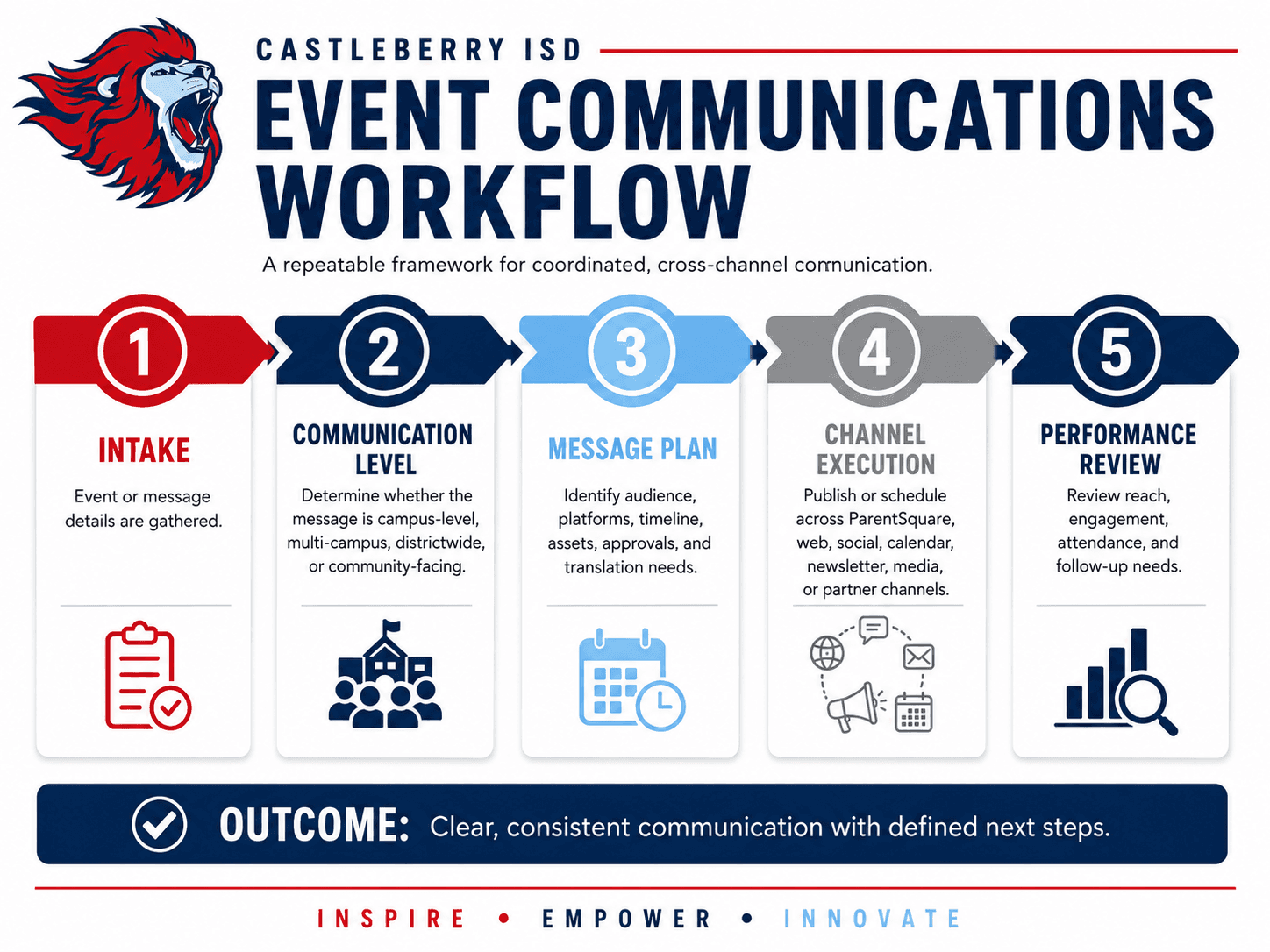
The Workflow at a Glance
Intake — Event or message details are gathered.
Communication Level — The message is evaluated to determine whether it is campus-level, multi-campus, districtwide, or community-facing.
Message Plan — Audience, platforms, timeline, assets, approvals, and translation needs are identified.
Channel Execution — The message is published or scheduled across appropriate touchpoints, which may include ParentSquare, the website, social media, calendars, newsletters, media, or partner channels.
Performance Review — Reach, engagement, attendance, and follow-up needs are reviewed.
Why It Mattered
This workflow helped reduce reactive communication by creating a clear process for planning, approving, and executing event promotion before deadlines became urgent.
It also helped protect consistency across the district. Events could be promoted through different channels while still feeling connected through the same voice, visual standards, timing, and message priorities. That mattered because families, staff, students, and community members might encounter the same event through ParentSquare, the district website, a social post, a newsletter item, a calendar listing, or a local media mention.
The workflow helped ensure those touchpoints did not feel disconnected. Messaging stayed clear. Design stayed aligned to the district brand. Audiences received the right level of information. Staff had clearer next steps. And the communications function became easier to scale in a team-of-one environment.
Brand Alignment Across Touchpoints
A key part of the workflow was making sure communication stayed aligned across both messaging and design.
For messaging, the process helped maintain a consistent voice, clear audience targeting, and appropriate platform-specific language. A ParentSquare post, website article, social media caption, newsletter blurb, and media pitch did not need to be identical, but they needed to feel connected and support the same communication goal.
For design, the process helped reinforce the district’s visual identity across event graphics, web content, newsletters, social posts, and printed or digital materials. This included consistent use of district colors, typography, logos, spacing, image treatment, and brand tone.
The result was a more unified experience for families and the community. Whether someone saw the message in their inbox, on Facebook, on the website, or in a newsletter, the communication felt like it came from the same organization.
What the SOP Standardized
The workflow helped standardize:
Event intake and required details
Communication level and routing
Audience identification
Channel selection
Calendar coordination
Message timing
Asset needs
Approval expectations
Translation considerations
Brand-aligned design and messaging
Follow-up communication
Post-event review
This made the process easier for departments and campuses to follow while helping the district maintain quality and consistency across communication channels.
Role
I led the communications planning and execution process, working with campus and district staff to gather event details, determine communication needs, develop or refine messaging, create or adapt visual assets, schedule content, coordinate platform use, and review results.
My role also included protecting brand consistency across touchpoints, ensuring that messages were clear and audience-appropriate, and helping staff understand what needed to happen next.
This project demonstrates my ability to build communications systems that support both strategy and execution — connecting audience needs, brand standards, platform planning, and measurable outcomes into one repeatable workflow.
Example Use Cases — SOP in Action
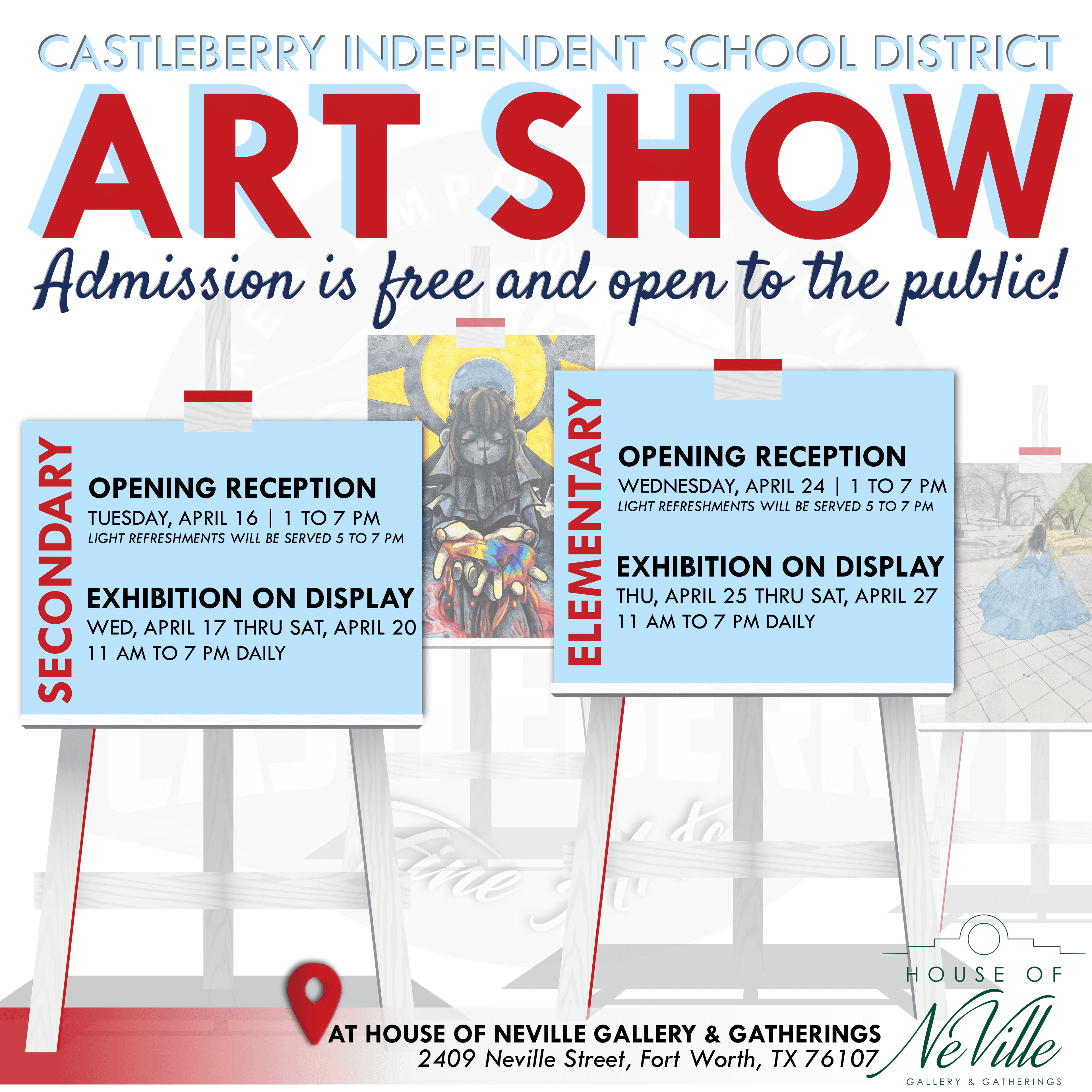
Spring Art Show
A representative event showing the SOP across web, ParentSquare, social, newsletter, calendar, and local media.